> ## Documentation Index
> Fetch the complete documentation index at: https://botpress-charmenta-pr-696.mintlify.site/llms.txt
> Use this file to discover all available pages before exploring further.
# Set up triggers
> React to events from integrations and custom events.
Triggers subscribe to events and run a handler when those events fire. Unlike conversations (which respond to user messages), triggers respond to system events, integration events, and custom events you define.
## Creating a trigger
Create a file in `src/triggers/`:
```typescript theme={null}
import { Trigger } from "@botpress/runtime"
export default new Trigger({
name: "onConversationStarted",
events: ["webchat:conversationStarted"],
handler: async ({ event }) => {
console.log("New conversation started:", event.payload)
},
})
```
The `events` array lists which events this trigger subscribes to. The handler runs when any of the listed events fire.
Trigger names must be at least 3 characters and contain only alphanumeric characters and underscores.
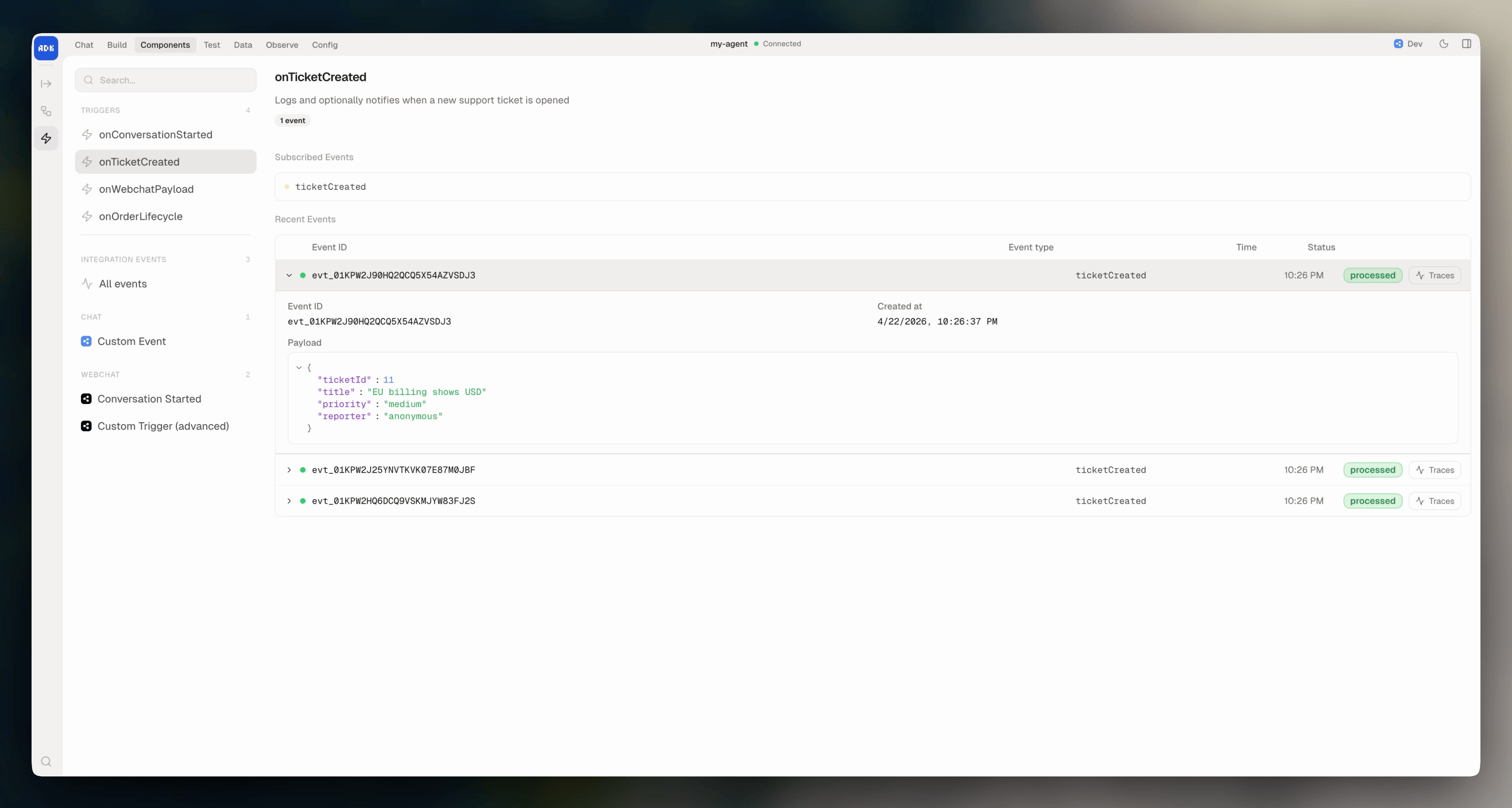
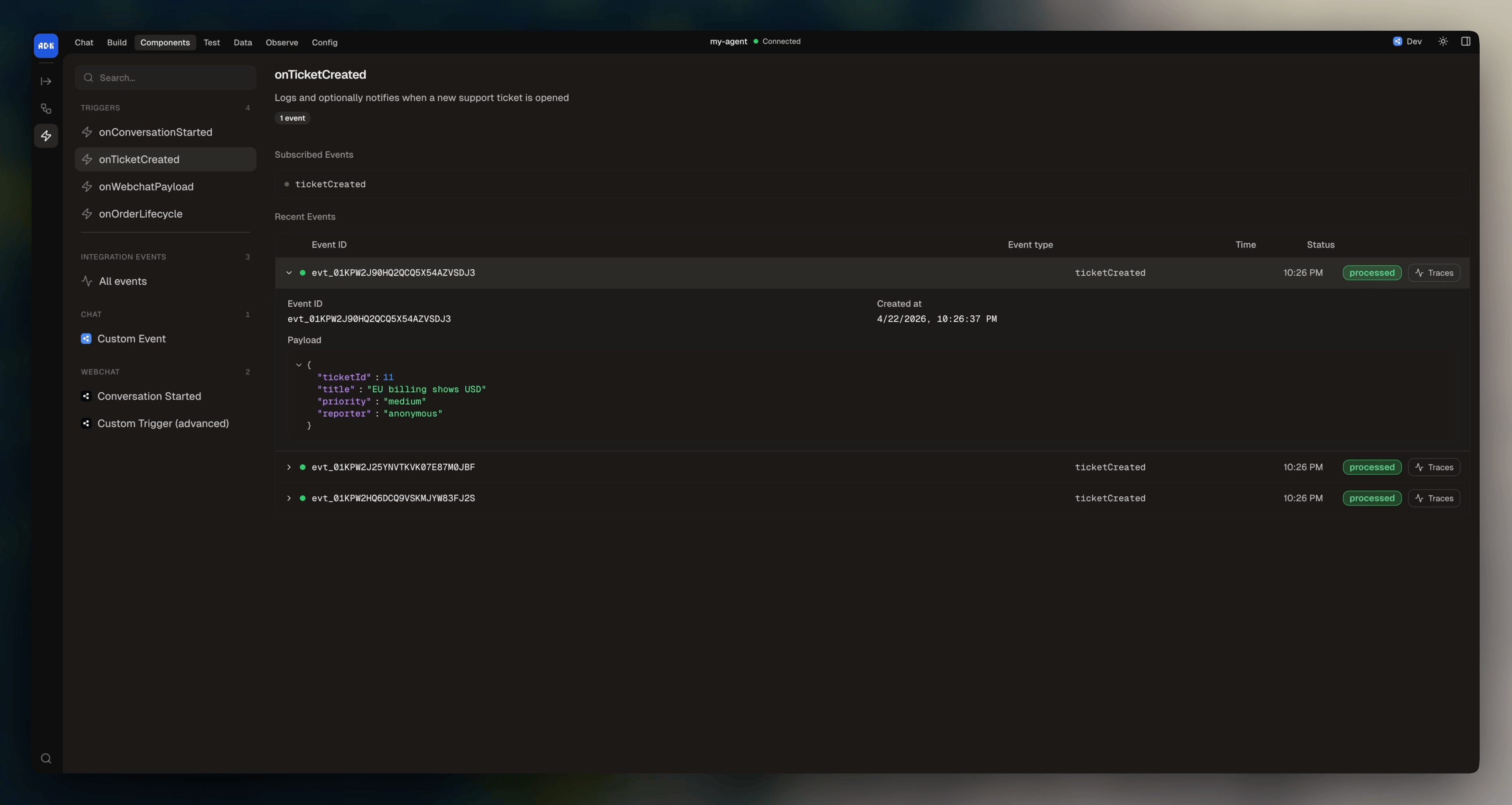
## Viewing triggers in the dev console
You can browse your triggers from the dev console at **Components > Triggers**:
 ## Event format
Events use the format `"integration:eventName"` for integration events, or just the event name for custom events defined in `agent.config.ts`.
The handler receives a single `event` parameter:
| Parameter | Type | Description |
| --------------- | -------- | ------------------------- |
| `event.type` | `string` | The event type that fired |
| `event.payload` | `object` | Event-specific data |
To make API calls from a trigger, pull the client from the runtime context: `const client = context.get("client")`.
## Multiple events
A trigger can subscribe to multiple events and handle each differently:
```typescript highlight={4-8} theme={null}
export default new Trigger({
name: "onLinearIssue",
description: "Handle Linear issue events",
events: [
"linear:issueCreated",
"linear:issueUpdated",
"linear:issueDeleted",
],
handler: async ({ event }) => {
if (event.type === "linear:issueCreated") {
// Handle new issue
} else if (event.type === "linear:issueUpdated") {
// Handle update
} else if (event.type === "linear:issueDeleted") {
// Handle deletion
}
},
})
```
## Custom events
Triggers can subscribe to custom events you define in `agent.config.ts`:
```typescript title="agent.config.ts" theme={null}
export default defineConfig({
events: {
orderPlaced: {
description: "Fired when an order is placed",
schema: z.object({
orderId: z.string(),
total: z.number(),
}),
},
},
})
```
```typescript title="src/triggers/on-order.ts" theme={null}
import { Trigger } from "@botpress/runtime"
export default new Trigger({
name: "onOrderPlaced",
events: ["orderPlaced"],
handler: async ({ event }) => {
const { orderId, total } = event.payload
// Process the order
},
})
```
## Using actions from triggers
Triggers can call actions for reusable logic:
```typescript highlight={8-10} theme={null}
import { Trigger, actions } from "@botpress/runtime"
export default new Trigger({
name: "onConversationStarted",
events: ["webchat:conversationStarted"],
handler: async ({ event }) => {
if (event.payload.conversationId) {
await actions.webchat.showWebchat({
conversationId: event.payload.conversationId,
})
}
},
})
```
## Event format
Events use the format `"integration:eventName"` for integration events, or just the event name for custom events defined in `agent.config.ts`.
The handler receives a single `event` parameter:
| Parameter | Type | Description |
| --------------- | -------- | ------------------------- |
| `event.type` | `string` | The event type that fired |
| `event.payload` | `object` | Event-specific data |
To make API calls from a trigger, pull the client from the runtime context: `const client = context.get("client")`.
## Multiple events
A trigger can subscribe to multiple events and handle each differently:
```typescript highlight={4-8} theme={null}
export default new Trigger({
name: "onLinearIssue",
description: "Handle Linear issue events",
events: [
"linear:issueCreated",
"linear:issueUpdated",
"linear:issueDeleted",
],
handler: async ({ event }) => {
if (event.type === "linear:issueCreated") {
// Handle new issue
} else if (event.type === "linear:issueUpdated") {
// Handle update
} else if (event.type === "linear:issueDeleted") {
// Handle deletion
}
},
})
```
## Custom events
Triggers can subscribe to custom events you define in `agent.config.ts`:
```typescript title="agent.config.ts" theme={null}
export default defineConfig({
events: {
orderPlaced: {
description: "Fired when an order is placed",
schema: z.object({
orderId: z.string(),
total: z.number(),
}),
},
},
})
```
```typescript title="src/triggers/on-order.ts" theme={null}
import { Trigger } from "@botpress/runtime"
export default new Trigger({
name: "onOrderPlaced",
events: ["orderPlaced"],
handler: async ({ event }) => {
const { orderId, total } = event.payload
// Process the order
},
})
```
## Using actions from triggers
Triggers can call actions for reusable logic:
```typescript highlight={8-10} theme={null}
import { Trigger, actions } from "@botpress/runtime"
export default new Trigger({
name: "onConversationStarted",
events: ["webchat:conversationStarted"],
handler: async ({ event }) => {
if (event.payload.conversationId) {
await actions.webchat.showWebchat({
conversationId: event.payload.conversationId,
})
}
},
})
```